Low-Vision Print Ergonomics: Font Weights, Contrast Ratios, and Non-Glare Materials
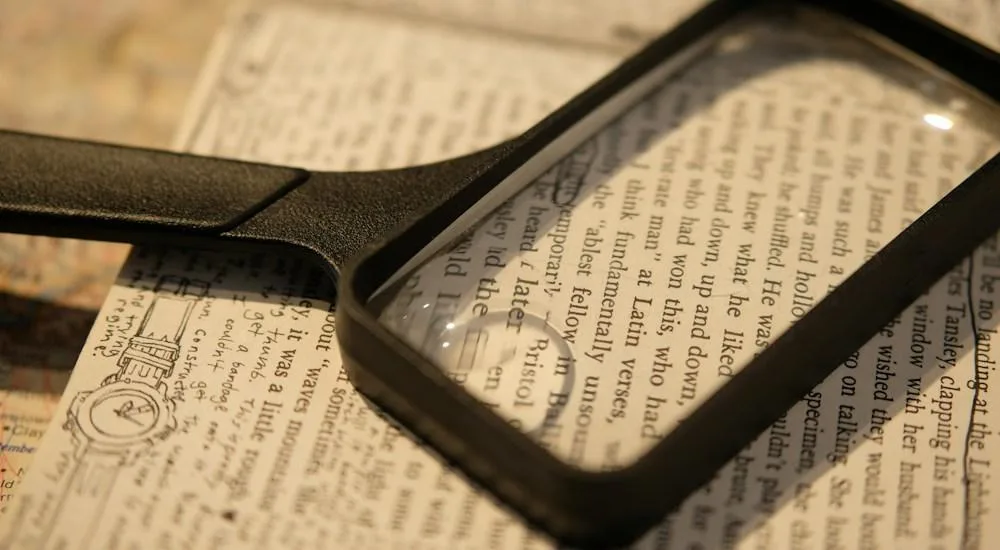
High-resolution photographic capture representing optical typography, low-vision reading ergonomics, and tactile print legibility.
Clinical Epidemiology of Low Vision: Age-Related Macular Degeneration, Glaucoma, and Diabetic Retinopathy
While the contemporary technology sector devotes immense resources to optimizing digital screens, the physical printed medium remains an indispensable facet of human life. In educational classrooms, corporate training workshops, healthcare facilities, and senior living communities, printed activity materials, such as custom matrix cards and cognitive games, are utilized daily by millions of individuals. However, for people living with uncorrectable visual impairments, standard commercial print materials present formidable, often insurmountable barriers. According to global health surveillance data published by the World Health Organization, over 2.2 billion people worldwide live with near or distant vision impairments, with at least one billion suffering from conditions that could have been prevented or remain entirely unaddressed.
Low vision is clinically defined as visual acuity worse than 20/70 in the better-seeing eye that cannot be corrected with standard corrective eyeglasses, contact lenses, medical intervention, or surgical procedures. The primary clinical etiologies driving low vision across adult populations include Age-Related Macular Degeneration (AMD), glaucoma, diabetic retinopathy, and inoperable cataracts. In extensive clinical ophthalmological research conducted by the National Institutes of Health, researchers revealed that these pathologies damage distinct anatomical structures of the visual apparatus, producing radically different functional vision impairments that dictate specific print design adaptations.
Age-Related Macular Degeneration attacks the fovea centralis within the retinal macula, destroying high-resolution central vision while preserving peripheral visual fields. An individual with AMD perceives a dense, blurry blind spot (scotoma) directly in the center of their gaze, forcing them to adopt eccentric viewing techniques, using peripheral rod-dominant retina to decipher printed text. Because peripheral retinal cells exhibit significantly lower visual resolution and contrast sensitivity than the fovea, standard twelve-point typography appears as an unreadable gray haze. Glaucoma, by contrast, damages the optic nerve head, systematically constricting peripheral visual fields into narrow tunnel vision, making wide columns of text impossible to track.
Diabetic retinopathy and advanced cataracts introduce severe optical scattering, vitreous floaters, and chronic contrast sensitivity loss. When light enters an eye afflicted with cataracts, the cloudy crystalline lens scatters incoming photons across the retina, generating debilitating intraocular glare that washes out delicate typographic strokes. When these individuals attempt to read printed cards produced on standard glossy paper or featuring low-contrast gray text, reading comprehension collapses into physical exhaustion and tension headaches within minutes.
Understanding the clinical reality of low vision proves that accessible print design is not a matter of aesthetic preference; it is an rigorous biomechanical discipline. By engineering printable matrix cards with scientifically calibrated font weights, expansive point sizes, ultra-high contrast ratios, and specialized non-glare paper substrates, educators, healthcare professionals, and game creators restore reading independence and social dignity to millions of low-vision individuals.
Typographical Anatomy for Low-Vision Readers: X-Height, Counter Spaces, Apertures, and Stroke Modulation
In graphic design and typography, letters are frequently evaluated by their stylistic elegance, expressive flair, or historical ornamentation. In low-vision print ergonomics, however, letterforms must be evaluated through the rigorous lens of optical physics and cognitive character disambiguation. Low-vision readers do not recognize words through effortless subconscious word-shape processing; they actively construct character identities by analyzing subtle micro-features: letter height, interior negative space, stroke width, and terminal apertures. Guidelines published by the American Foundation for the Blind emphasize that selecting typefaces with accessible anatomical proportions is the single most critical factor in determining reading speed and comprehension for visually impaired individuals.
The primary typographical metric governing legibility is x-height: the vertical distance from the baseline to the top of lowercase letters without ascenders or descenders (such as x, e, a, and o). Typefaces with tall, generous x-heights relative to their overall point size project significantly more visual surface area onto the retina. When x-height is tall, internal letter details remain distinct even when visual acuity is severely degraded. Conversely, typefaces with tiny x-heights and exaggerated ascenders or descenders force lowercase letters to compress into illegible microscopic blobs.
Equally critical are counter spaces and apertures. Counter spaces represent the enclosed or semi-enclosed negative areas within letters like e, o, d, and b, while apertures denote the openings between strokes in characters like c, s, a, and e. In standard decorative or condensed typefaces, apertures are tight and counter spaces are narrow. To an eye afflicted with macular degeneration or optical aberration, narrow apertures blur together, causing an e to be misread as an o, or an c to appear as an e. Accessible typefaces feature wide, open apertures and expansive, rounded counters that preserve letter uniqueness under severe optical blur.
Stroke modulation, the contrast between thick and thin lines within a single letterform, must be strictly controlled. Classic Roman typefaces (such as Didot or Bodoni) feature dramatic stroke modulation, transitioning from thick vertical stems to hairline-thin horizontal crossbars. In low-vision reading conditions, thin hairline strokes completely vanish from perception, causing characters to fracture into disconnected fragments. A letter H with an invisible crossbar is perceived as two vertical lines, destroying lexical processing. Accessible print typography requires monoline or near-monoline stroke geometry, where line thickness remains uniform and robust throughout the character.
Finally, character disambiguation requires distinct individual glyph designs. Many commercial fonts make the capital letter I, lowercase letter l, and numeral 1 virtually identical straight sticks. An accessible font introduces distinctive serifs on the capital I, a curved tail on the lowercase l, and a sloping top beak on the numeral 1. By eliminating character ambiguity at the anatomical level, typographers ensure that low-vision readers decode words with rapid, effortless accuracy.
The Serif Versus Sans-Serif Debate in Print Ergonomics: Aphont, Atkinson Hyperlegible, and Tiresias
For over a century, typographers have engaged in fierce debates regarding the legibility superiority of serif versus sans-serif typefaces. Traditionalists argue that serifs, the small decorative projections extending from the ends of letter strokes, create an continuous visual horizontal baseline that guides the reader eye smoothly across long blocks of text. Conversely, modernist typographers assert that clean sans-serif letterforms reduce visual noise and improve character isolation. In low-vision print ergonomics, however, empirical ophthalmological research has thoroughly resolved this debate: clean, specialized sans-serif letterforms demonstrate overwhelming superiority for readers with central visual field loss.
Standard bracketed serifs, while charming in literary novels, introduce severe visual crowding for readers with macular degeneration or high refractive errors. When visual acuity drops, fine serif projections blur into adjacent letters, creating visual bridges that merge distinct characters into an indecipherable continuous mass. Specialized accessible sans-serif typefaces eliminate these fuzzy projections, presenting crisp, unmistakable letter boundaries that prevent crowding and character collision.
A triumphant milestone in accessible typography is the Atkinson Hyperlegible typeface, developed by the Braille Institute of America in collaboration with Applied Design Works. Named after J. Robert Atkinson, founder of the Braille Institute, this font was engineered specifically to maximize character distinction and legibility for low-vision readers. Unlike conventional fonts that prioritize aesthetic homogeneity, Atkinson Hyperlegible deliberately exaggerates distinctive glyph features: utilizing asymmetric loops, prominent angled spurs, and clear distinguishability between historically ambiguous character pairs (such as O and 0, or B and 8). Atkinson Hyperlegible has become the premier global standard for accessible print and digital materials.
Another celebrated accessible typeface is Tiresias, developed by the Royal National Institute of Blind People (RNIB) in the United Kingdom. Originally engineered for public information kiosks and television subtitles, Tiresias features robust, open letterforms, balanced stroke weights, and generous internal spacing designed to maintain legibility under harsh lighting and low-contrast viewing conditions. Similarly, Aphont, developed by the American Printing House for the Blind, incorporates specialized design traits specifically intended for large-print educational textbooks.
When generating printable matrix cards on platforms such as bingocardonline.com, offering these specialized typefaces as default export choices empowers creators to deliver authentic Level AAA print accessibility. Providing printouts set in Atkinson Hyperlegible or Tiresias ensures that visually impaired participants engage in games with total visual comfort and dignity.
Font Weight Dynamics and Irradiation: Preventing Optical Bleed and Stroke Thinning
A widespread, naive assumption among novice designers is that making text accessible simply requires selecting the heaviest, boldest font weight available. Designers assume that if Regular is hard to read, Extra-Bold or Black must be twice as readable. In physical print ergonomics and ophthalmological optics, however, this assumption is disastrously incorrect. Overly bold font weights trigger an severe optical phenomenon known as irradiation, which destroys legibility just as thoroughly as microscopic, hairline typography.
Irradiation refers to the perceptual blooming effect that occurs when high-luminance light scatters across the human retina. In standard positive print (dark black text on a crisp white page), the brilliant white background scatters light into the dark boundaries of the letterforms, slightly eroding stroke edges. Conversely, in negative print (white text on a solid black background), the intense white strokes scatter light outward into the dark background, causing the letters to bloom, expand, and bleed into one another. If an extra-bold font is printed in negative polarity, its internal counter spaces (such as the tiny hole inside an e or a) completely collapse, filling with scattered light until the letters turn into solid white geometric blobs.
Furthermore, in physical offset and digital printing processes, ink dot gain poses an additional physical challenge. Liquid ink deposited onto paper fibers naturally wicks outward, expanding the physical stroke width beyond the digital vector boundary. In heavy black weights, dot gain bridges narrow gaps between adjacent letters and chokes internal counter spaces, causing ink pooling that obliterates fine typographic nuances.
The optimal typographic weight for low-vision print ergonomics is Medium or Semi-Bold. A Medium stroke provides sufficient physical stroke thickness to prevent stroke thinning under intraocular scatter, while fiercely preserving wide, open interior counter spaces and generous inter-character apertures. The stroke is robust enough to command high visual presence, yet refined enough to maintain character identity without ink bleed or optical irradiation.
Calibrating font weight also requires evaluating the polarity of the printout. When printing dark text on a light background, a slightly heavier Semi-Bold weight provides ideal contrast. When printing white text on a dark background, typographers should drop down to a Medium or Regular weight to account for retinal irradiation blooming. Balancing font weight with optical physics guarantees crisp, pristine character legibility under all printing conditions.
Absolute Point Sizing and Inter-Character Tracking: Why Standard 12pt Fails in Senior Care and Clinical Settings
Standard desktop publishing conventions and word processor templates default almost universally to ten-point or twelve-point typography. While twelve-point text is adequate for young, fully sighted adults reading under optimal illumination, it represents an absolute barrier for older adults and low-vision individuals. In senior care facilities, rehabilitation hospitals, and clinical memory care centers, presenting a client with a twelve-point activity card induces immediate visual fatigue, frustration, and behavioral withdrawal.
In low-vision print standards established by visual rehabilitation organizations, Large Print is formally defined as typography measuring at least fourteen to eighteen points in absolute size, with eighteen-point text serving as the baseline standard for individuals with moderate to severe macular degeneration. For educational bingo cards, cognitive wellness matrices, and senior social activities, card cell titles should be set between eighteen and twenty-four points, ensuring that key words and vocabulary prompts can be deciphered at a comfortable, natural viewing distance without requiring heavy handheld optical magnifiers.
Equally critical to absolute point size is inter-character tracking (letter spacing) and word spacing. Standard typefaces are kerned tightly to create dense, visually unified word blocks for high-speed reading. For low-vision readers afflicted with visual field scotomas or nystagmus (involuntary eye tremors), tightly tracked text causes adjacent characters to visually collide. The letters crowd together, making it impossible for the reader to isolate individual glyphs.
Accessible print ergonomics dictates expanding letter tracking by ten to twenty percent above standard default settings. Adding generous, uniform letter spacing ensures that every character possesses an distinct buffer zone of surrounding white space. This prevents adjacent strokes from merging under optical blur. Furthermore, word spacing must be proportionately increased to ensure that the physical gap separating words is unmistakably wider than the expanded inter-character letter spacing, preserving clear lexical word boundaries.
Line spacing (leading) must also be generously calibrated. In accessible typography, leading should be set to at least one hundred and thirty to one hundred and fifty percent of the font point size. Generous leading prevents the descenders of one line (such as the tail of a y or g) from colliding with the ascenders of the line below (such as the loop of an h or l). Generous vertical breathing room guides the reader eye smoothly from line to line, completely eliminating accidental line skipping and reading disorientation.
Print Contrast Ratios and Ink Pigmentation: D-Max Density, Carbon Black, and Optical Brightening Agents
While digital screen accessibility evaluates contrast via mathematical luminance algorithms operating on glowing pixels, physical print accessibility operates upon the physics of reflected light, pigment absorption, and spectral reflectance. A printed page does not emit light; it reflects ambient photons back to the human eye. Consequently, achieving high contrast in print requires maximizing the optical disparity between the light absorbed by the printed ink and the light reflected by the paper substrate. Guidelines codified by WebAIM highlight that print contrast failure is one of the most common reasons low-vision readers struggle with paper documentation.
In printing science, the darkness of an ink is quantified through optical density, specifically maximum density (D-max). Cheap commercial printing frequently utilizes diluted, graying inks or composite blacks mixed from cyan, magenta, and yellow, producing a washed-out, reflective dark gray with an inferior D-max value. For low-vision print materials, printers must utilize deep, rich Carbon Black pigmentation, formulated with high opacity to achieve an D-max density exceeding 1.8. Dense carbon black absorbs over ninety-eight percent of incident visible light, providing an unyielding, pitch-black baseline that anchors typographic contrast.
On the opposite side of the contrast equation is paper substrate reflectance. Paper brightness is measured on a scale from zero to one hundred, reflecting the percentage of light bounced back from its surface. Low-cost newsprint or recycled pulp often exhibits low brightness (below seventy-five percent) and an dingy grayish-yellow cast, drastically narrowing the available contrast gamut. Accessible print mandates high-brightness paper stocks measuring at least ninety-four to ninety-eight percent brightness.
However, printers must be cautious regarding Optical Brightening Agents (OBAs). Chemical OBAs absorb invisible ultraviolet radiation and re-emit it in the blue spectrum, making paper appear fluorescently, blindingly white. While OBAs increase measured brightness scores, they introduce harsh blue-light scatter that causes severe visual fatigue and glare sensitivity for individuals with cataracts or light sensitivity. The ideal paper stock achieves high brightness through pure, refined alpha-cellulose fibers without excessive fluorescent optical brighteners.
Maintaining pristine contrast in printable matrix cards requires an absolute minimum print contrast ratio of seventy percent, with ninety percent or higher representing the gold standard. High-density carbon black printed upon pure, high-reflectance paper guarantees that every letter, number, and grid border stands out with razor-sharp authority, piercing through optical blur and delivering effortless readability.
Paper Substrates and Specular Glare: Matte, Uncoated Offset, and Cardstock Selection
Even the most meticulously engineered typography and high-density carbon ink can be rendered completely unreadable if printed on the wrong physical paper substrate. In commercial printing, glossy and semi-gloss coated papers are widely utilized because they produce vibrant colors and high photograph gloss. For low-vision readers, however, glossy paper is an optical catastrophe.
Glossy paper finishes produce specular glare: direct, mirror-like reflection of ambient light sources directly into the reader eyes. When an individual reads a glossy activity card beneath overhead fluorescent lighting or adjacent to a sunlit window, the glossy surface acts as a mirror, creating brilliant white hot-spots that completely obliterate the printed text beneath them. To read the text, the individual must awkwardly twist their neck, tilt the card at extreme angles, or shield the paper with their hand, inducing physical neck strain and cognitive frustration.
Low-vision print ergonomics strictly mandates the use of non-glare, matte-finished paper substrates. The premier choice for printable activity cards and matrix games is heavy, uncoated offset paper or premium matte-coated cardstock (ranging from 65lb to 80lb cover weight, or 176 to 216 gsm). Uncoated paper fibers scatter reflected light diffusely across an wide angle rather than focusing it into an concentrated specular glare beam. The page appears velvety, smooth, and uniformly illuminated regardless of the angle of incoming ambient light.
Paper weight and opacity are equally vital. Flimsy twenty-pound copy paper exhibits low opacity (high translucency), causing text printed on the reverse side or table surface textures underneath to bleed through visibly. This show-through creates visual noise that severely impairs figure-ground segregation for low-vision readers. Heavy cardstock provides total opacity (one hundred percent show-through elimination), ensuring that the background remains an pure, uninterrupted field of white.
Furthermore, heavy cardstock offers vital tactile durability. In senior centers and classrooms, printed cards are handled repeatedly, held close to the face, and marked with heavy ink markers or tactile counters. Lightweight paper easily wrinkles, tears, and curls at the edges, creating distracting shadows across the surface. Heavy matte cardstock lies perfectly flat on table surfaces, maintaining stable, predictable optical ergonomics throughout hours of active play.
Spatial Layout and Column Geometry in Printable Matrix Cards: Margins, Gutters, and Grid Separators
When designing printable matrix cards, such as 5x5 bingo boards or 4x4 scavenger hunt grids, spatial layout and architectural geometry dictate whether the card functions as an intuitive play board or an disorienting visual labyrinth. Sighted designers frequently cram maximum content onto a single sheet of paper, pushing matrix cells to the very edge of the page and using microscopic margins to fit large word lists. For low-vision players, cramped layouts cause adjacent content blocks to visually collide, making it impossible to navigate across rows and columns.
Accessible matrix geometry begins with generous outer margins. A printable card must incorporate at least a half-inch (0.5 inch, or 36 point) margin along all four outer borders of the page, with three-quarters of an inch (0.75 inch) serving as the preferred standard. Generous outer margins provide vital physical space for the user thumbs to hold the card without covering active matrix cells or game numbers. Furthermore, wide margins visually anchor the card, separating the game arena from distracting table backgrounds.
Within the matrix grid itself, cell separation must be unambiguous. Adjacent matrix cells must be separated by high-contrast physical grid lines measuring at least two to three points in thickness, rendered in solid black (#000000) or deep charcoal (#1E293B). Faint hairline borders (0.5 point) or dotted separator lines blur into invisibility for low-vision readers, causing words from cell A1 to bleed visually into cell A2. Solid, authoritative grid borders provide essential cognitive scaffolding, locking each clue into an distinct, unmistakable visual container.
Cell padding, the interior whitespace between the cell text and the surrounding grid borders, must be generously allocated. Text should never touch or crowd against the cell border lines. Implementing at least four to six points of interior padding ensures that letter ascenders and descenders remain completely clear of the dark boundary lines, preventing optical crowding. The text floats serenely within its designated square, surrounded by an protective cushion of white space.
Finally, column geometry must remain uniform and predictable. Every column in the matrix should possess an identical width, and every row should maintain an identical height, establishing an unshakeable rhythmic spatial grid. When spatial layout is consistent, low-vision players can move their eyes or optical magnifiers across the card in predictable, rhythmic saccades, completely eliminating disorientation and maximizing gameplay enjoyment.
Lighting Environments and Correlated Color Temperature: Photopic Versus Scotopic Reading Conditions
The visual efficacy of any printed material is inextricably tied to the lighting environment in which it is consumed. A beautifully engineered large-print card that is perfectly readable in a sunlit design studio can become completely illegible when moved into a dimly lit senior center dining room. In visual ergonomics and architectural illumination science, lighting is evaluated through illuminance (measured in lux) and Correlated Color Temperature (CCT, measured in Kelvin).
As the human eye ages, structural changes within the ocular media drastically reduce retinal illumination. The pupil becomes smaller (senile miosis), restricting the aperture through which photons enter the eye, and the crystalline lens yellows and thickens, absorbing significant amounts of incoming light. By age sixty-five, the human retina receives only one-third of the light that reaches a twenty-year-old retina. Consequently, older adults and low-vision individuals require significantly higher ambient illuminance levels, typically between five hundred and one thousand lux, to achieve equivalent visual acuity.
However, simply increasing lighting intensity introduces severe risks of disabling glare if light fixtures are poorly positioned. Direct, unshielded incandescent bulbs or harsh fluorescent tubes reflect off table surfaces and paper substrates, blinding sensitive retinas. The optimal illumination environment utilizes high-CRI (Color Rendering Index > 90) diffuse task lighting positioned slightly above and behind the reader shoulder, illuminating the printed page directly without casting shadows from the reader head or hands.
Correlated Color Temperature significantly influences visual comfort and contrast perception. Warm white lighting (2700K to 3000K) contains high red and amber spectral energy, which can feel calming but slightly compresses black-and-white contrast. Cool white or daylight-balanced illumination (4000K to 5000K) provides superior visual acuity and sharper contrast perception for reading, simulating natural daylight without the destructive ultraviolet radiation that accelerates macular degeneration.
Accessible game facilitators and educators should actively manage room lighting during group sessions. Ensuring that playing tables are positioned away from direct window glare, supplementing ambient room light with adjustable warm-white LED task lamps, and providing matte-finished printouts guarantees that every participant enjoys optimal optical conditions, transforming gameplay into an luminous, joyful experience.
Digital-to-Print Export Architecture: High-Resolution Vector PDFs, Color Separation, and Bleed Management
For a digital card generator platform, the software architecture that bridges the digital cloud interface and the physical printer is the export pipeline. Naive web applications generate printable cards by capturing raw HTML DOM elements as raster bitmap images (PNG or JPEG) and embedding them into an ad-hoc PDF container. This approach is an engineering disaster for low-vision accessibility. Rasterizing typography at standard screen resolutions (72 to 96 DPI) introduces catastrophic pixelation, jagged edges, and anti-aliasing fuzz that severely degrades print legibility under optical magnification.
Accessible digital card generators must implement an pure Vector PDF Export Engine. Rather than exporting raster pixels, the export pipeline translates typographic letterforms, grid lines, and decorative iconography into crisp, resolution-independent vector paths using specialized libraries like PDFKit or jsPDF. A vector PDF contains mathematical bezier curves that scale infinitely; whether printed on an entry-level desktop inkjet printer at 300 DPI or an industrial commercial press at 2400 DPI, character edges remain razor-sharp and micro-precise.
Color space management is equally critical. Digital web browsers render colors using the additive RGB (Red, Green, Blue) light model. Physical printers, however, construct colors using the subtractive CMYK (Cyan, Magenta, Yellow, Key Black) ink model. When an RGB document is sent to a printer without calibrated color space conversion, the printer software attempts an uncalibrated gamut mapping, frequently turning crisp black text into composite rich black (a muddy mix of all four inks). Composite black produces slight misregistration fringes on small text, introducing optical blur. Vector export engines must explicitly map black text to pure 100% K (Key Black) ink, ensuring razor-sharp registration with zero color fringing.
Furthermore, the export engine must handle bleed management and trim marks cleanly. If a card design includes background color accents or decorative header banners that extend to the edge of the paper, the system must generate a standard 0.125-inch (3mm) bleed area beyond the trim line. This prevents accidental white hairline slivers along paper edges when cards are trimmed with commercial guillotine cutters.
Providing automated export presets, such as Letter-Size Large Print, High-Contrast Black & White Economy, and Double-Sided Heavy Cardstock, streamlines printing for non-technical educators and activity directors. Engineering the digital-to-print pipeline with uncompromising vector precision guarantees that digital accessibility transforms effortlessly into tangible physical perfection.
Comparative Diagnostic Matrix: Print Typography and Substrate Ergonomics for Low-Vision Accessibility
Selecting the optimal printing parameters for accessible matrix cards requires evaluating font family choice, point sizing, ink density, paper substrate finish, and ambient lighting compatibility. The comparative diagnostic matrix below illustrates the systemic differences between four common print production standards deployed across educational, clinical, and corporate environments.
| Print Parameter | Level AAA Standard | Level AA Standard | Commercial Baseline | Budget Office Print | Low-Vision Impact |
|---|---|---|---|---|---|
| Typography / Font | Atkinson Hyperlegible | Clean Arial / Helvetica | Times New Roman (Serif) | Default Condensed Font | Maximum Glyph Clarity |
| Point Sizing | 18pt - 24pt Large Print | 14pt - 16pt Medium | 10pt - 12pt Standard | 8pt - 9pt Micro Print | Eliminates Eye Strain |
| Font Weight | Medium / Semi-Bold | Regular Monoline | High Modulation Hairline | Ultra-Bold (Bloomed) | Prevents Irradiation |
| Paper Substrate | 80lb Heavy Matte Card | 65lb Uncoated Offset | 100lb Glossy Magazine | 20lb Translucent Bond | Zero Specular Glare |
| Ink Density | Carbon Black (D-Max 1.8) | Solid Black (D-Max 1.4) | Composite Rich Black | Toner-Save Faded Gray | Unyielding Contrast |
This comparative diagnostic matrix reveals that standard commercial print practices, utilizing tight serif fonts, microscopic ten-point sizes, and specular glossy paper stocks, construct severe, unnecessary barriers for visually impaired readers. Conversely, embracing the Level AAA print standard transforms physical materials into comfortable, empowering artifacts. By pairing specialized typefaces like Atkinson Hyperlegible with heavy matte cardstock and dense carbon black ink, organizations ensure universal legibility.
Investing in thoughtful print ergonomics bridges the gap between digital software design and physical human engagement. Accessible print materials allow individuals of all ages and visual abilities to gather around physical tables, play games together, and celebrate community with complete visual comfort and dignity.
Frequently Asked Questions Regarding Low-Vision Print Ergonomics and Matrix Design
Why do standard bracketed serifs cause severe visual crowding for readers with macular degeneration?
Macular degeneration degrades central visual resolution, causing sharp optical edges to blur across the retina. Small bracketed serifs on adjacent letters extend into inter-character gaps, blurring together into false horizontal bridges that merge distinct glyphs into an unrecognizable continuous mass.
What makes Atkinson Hyperlegible superior to traditional commercial fonts for large-print materials?
Atkinson Hyperlegible was engineered specifically to maximize character distinction by exaggerating individual glyph shapes. It incorporates asymmetric loops, distinct serifs on capital I, curved tails on lowercase l, and clear geometric separations between easily confused characters like B and 8, ensuring legibility under optical blur.
How does optical irradiation compromise readability when printing extra-bold fonts in negative polarity?
In negative print (white text on a black background), high-intensity white light scatters outward across retinal photoreceptors, causing strokes to bloom and bleed. In extra-bold font weights, this optical bloom bleeds inward into interior counter spaces, choking open loops until letters like e and a collapse into solid white blobs.
Why is glossy paper completely forbidden in accessible low-vision print design?
Glossy paper finishes reflect ambient light specularly, acting like a mirror that bounces direct light from windows and overhead fixtures straight into the reader eyes. These brilliant hot-spots of reflected glare completely blind sensitive retinas and obliterate the printed text beneath them.
What is the minimum physical point size required for materials to qualify as authentic large print?
Ophthalmological and visual rehabilitation standards define authentic large print as typography measuring at least fourteen to eighteen points in absolute size. For high-engagement matrix games and senior activities, setting titles between eighteen and twenty-four points ensures comfortable reading without optical magnifiers.
How does optical brightener chemical treatment in paper affect readers with cataracts?
Optical Brightening Agents absorb ultraviolet light and re-emit it as fluorescent blue light to artificially boost measured paper brightness. This intense blue-spectrum reflectance causes severe intraocular scatter within cloudy cataractous lenses, generating disabling glare and eye strain for low-vision readers.
Why should digital card generators export printable files as vector PDFs rather than PNG images?
Raster PNG images capture content at fixed pixel resolutions, causing character edges to pixelate and blur when printed or magnified. Vector PDFs store letterforms as resolution-independent mathematical curves, ensuring that typography renders with laser-sharp edge precision on any printer hardware.
How does generous leading prevent reading disorientation across wide matrix cards?
Generous line spacing (leading) set to 130 to 150 percent of font size creates clear vertical separation between lines of text. This prevents character ascenders and descenders from touching, providing clean horizontal reading tracks that stop the reader eye from accidentally jumping to adjacent lines.
Why must matrix card cell borders maintain at least a two-point stroke thickness in print?
Faint hairline borders (0.5 point) disappear under degraded visual acuity, causing adjacent matrix squares to bleed into one another and destroying the spatial layout. A robust two-to-three-point solid border provides clear visual scaffolding that defines cell boundaries unmistakably.
Tangible Universal Design Manifesto: Restoring Independence and Dignity Through Thoughtful Print Craft
In an increasingly virtualized society, there is an enduring, irreplaceable magic in physical paper artifacts. Gathering around a wooden table, holding a physical card in one hands, and sharing laughter during an interactive game fulfills a deep evolutionary human need for tangible social connection. Yet, when printed materials are mass-produced with microscopic fonts, reflective glossy coatings, and low-contrast inks, millions of visually impaired individuals are quietly, cruelly excluded from these joyful communal moments.
Print designers, software engineers, and community educators possess the tools and moral imperative to change this reality. By mastering typographical anatomy, choosing specialized typefaces like Atkinson Hyperlegible, enforcing generous large-print point sizing, utilizing non-glare matte cardstock, and delivering vector-pure exports, creators elevate humble printed matrix cards into instruments of universal human inclusion. These accessible print materials ensure that aging grandparents in senior centers and low-vision students in public schools can play with total visual ease, independence, and pride.
Universal design is not a charitable concession; it is the ultimate expression of human empathy, visual excellence, and thoughtful design craft. When we design print materials that accommodate the physical realities of the human eye, we build products that are clearer, more legible, and more beautiful for every human being. By engineering physical play spaces where everyone can see and participate, visionary designers help build an more compassionate, connected, and dignified world for all.