Canva Bingo Cards vs a Dedicated Generator
Canva is great for designing one beautiful bingo card, but a dedicated bingo generator wins when you need a stack of unique cards, because it shuffles your word list automatically and Canva doesn't. Use Canva when looks matter most and you only need a single card; use a generator when you need many different cards fast and free for a real game. If your goal is a printable stack right now, our bingo card generator does it with no sign-up and no watermark.
Want to skip the comparison? Open the free generator, paste a word list (we've got ready-made ones across the site), pick your grid, and print as many unique cards as you need. No account, no fee, no install.
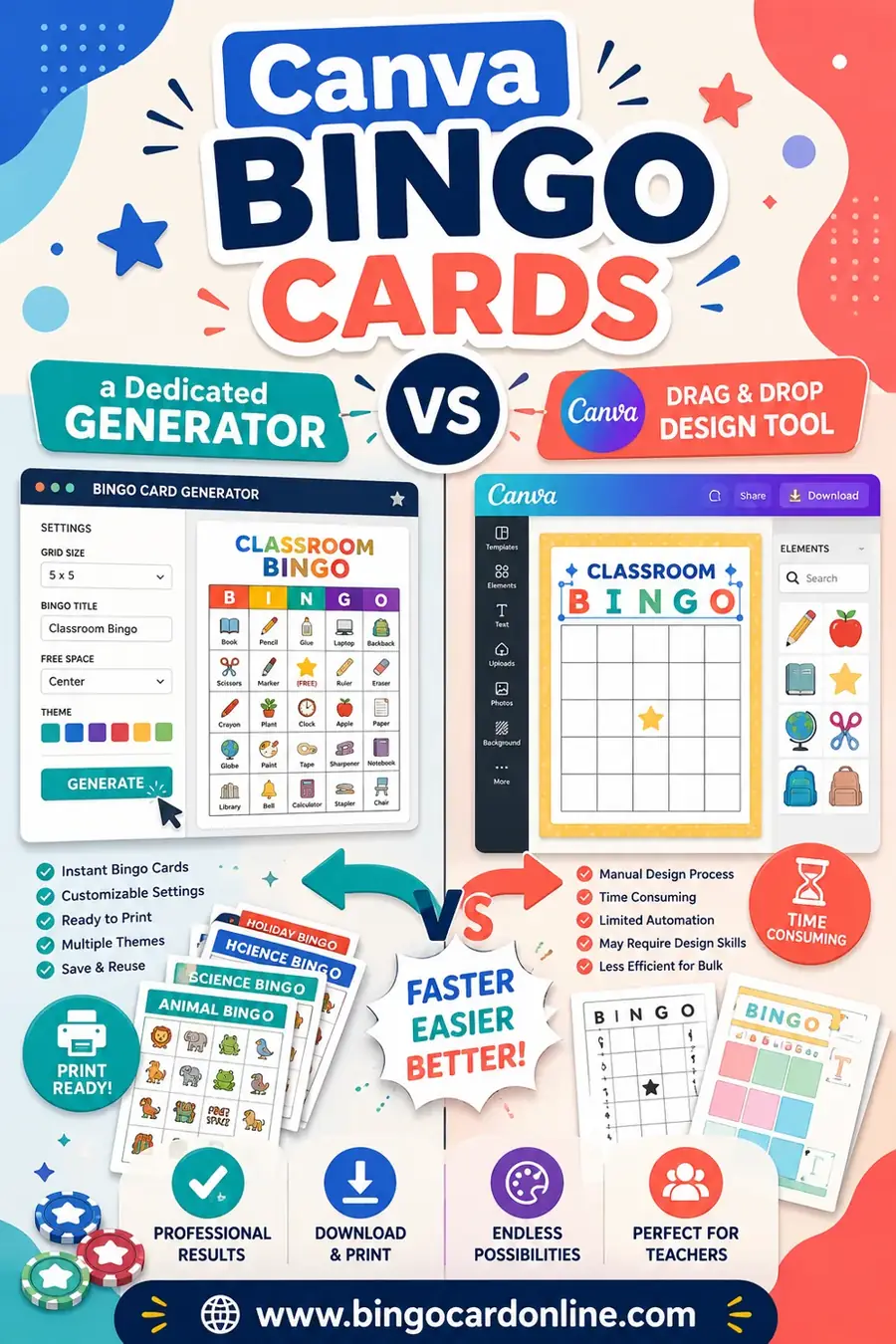
This isn't a "one is bad" situation. Canva and a dedicated generator are built for different jobs.
- Canva is a design tool. It makes one card look polished, custom fonts, your colors, themed art, branded layouts.
- A dedicated generator is a game tool. It takes one word list and scrambles it into dozens of unique cards in a couple of clicks.
The mistake people make is using a design tool for a game job. They build one gorgeous card in Canva, then realize they need thirty different cards, and there's no shuffle button. Suddenly they're copying, pasting, and rearranging squares by hand for an hour. That's the wrong tool for the task.
So before you pick, ask one question: do I need one card or a stack of different cards?
Why Unique Cards Matter (and Why It's the Whole Game)
Here's the part that trips people up. In bingo, every card in your stack needs to be different. If two players have the same layout, they'll both hit "Bingo!" at the exact same moment, and the game falls apart.
A dedicated generator solves this automatically. It takes your word list and lays it out fresh for each card, so no two grids match. You click once and get a whole stack of unique cards.
Canva can't do this on its own. It treats each card as a separate design. To make thirty unique cards, you'd manually shuffle the squares thirty times. For a single keepsake card, that's a non-issue. For a real game, it's a dealbreaker.
Canva Bingo Cards: Where They Shine
Let's give Canva its due. For certain jobs, it's the better choice, and nothing beats it on looks.
Beautiful, branded design
Canva's templates, fonts, and illustration library let you build a card that looks professionally designed. Custom colors, themed art, a logo in the corner, it all looks polished.
One showcase or keepsake card
If you want a single framed card for a baby shower table, a wedding favor, or a social-media graphic, Canva is ideal. It's made for one beautiful thing.
Full creative control
You decide every detail, square size, borders, background, fonts. If your priority is a specific look, Canva gives you the most control of any tool here.
A starting template
Some people design the look in Canva, then recreate it in a generator for the actual stack. That's a fair workflow if branding matters a lot.
Canva Bingo Cards: Where They Fall Short
The flip side. Canva struggles exactly where a game needs help.
- No auto-shuffle. This is the big one. Canva won't turn a word list into many unique cards. You move squares by hand.
- Slow for a stack. Making thirty different cards in Canva can take an hour. A generator does it in seconds.
- No grid logic. Canva doesn't know it's a bingo card. It won't manage a free center space or guarantee uniqueness across cards.
- Paid extras. Many nice templates, fonts, and images sit behind Canva Pro.
- Overkill for a quick game. If you just need cards for tonight, the design depth is friction you don't need.
In short: Canva is a design tool doing a game tool's job, and it shows the moment you need more than one card.
Dedicated Generator: Where It Wins
A purpose-built bingo generator is the opposite, lean, fast, and built around the one thing that matters for a game.
Instant unique cards
Paste a list, click, and get a full stack where every card is different. This is the core job, and it's the thing Canva can't do.
Free and no sign-up
The best generators, including ours, cost nothing and need no account. You print as many cards as you want with no watermark.
Built-in grid logic
It handles 3x3, 4x4, and 5x5 grids with a proper free center space, and it knows how to fit the page for clean printing.
Speed
From "I need bingo for tonight" to a printed stack in under ten minutes. No design rabbit holes.
The trade-off? Generators aren't design studios. You get clean, readable cards, not custom illustrated art. For a game, that's exactly right.
Side-by-Side Comparison
Here's the whole comparison in one place, so you can see at a glance which tool fits your job.
| Feature | Canva | Dedicated Generator |
|---|---|---|
| Auto-shuffle into unique cards | No | Yes |
| Time to make 30 cards | ~1 hour | Seconds |
| Design control / custom art | Excellent | Basic |
| Free to print a full stack | Limited | Yes |
| Sign-up required | Yes | No |
| Built-in bingo grid logic | No | Yes |
| Best for one showcase card | Yes | Overkill |
| Best for a real game stack | No | Yes |
The pattern is clear: Canva for looks and a single card, a generator for a fast, free, unique stack.
A Ready-to-Use Word List to Test Both (Copy & Paste)
Want to try both approaches? Here's a flexible set of 30 squares you can use in Canva or paste into a generator. Use 24 for a 5x5 (the 25th is your free space) or 9 for a 3x3.
| Celebration | Things to Spot | Bingo Fun |
|---|---|---|
| Balloon | Name tag | Free space |
| Cupcake | Photo booth | Four corners |
| Confetti | Gift table | Full house |
| Party hat | Welcome sign | Blackout |
| Streamers | Guest book | Lucky line |
| Candle | Snack bar | Caller |
| Gift box | Dance floor | Marker |
| Banner | Centerpiece | Winning card |
| Ribbon | Place card | First call |
| Cheers | Group selfie | Bingo! |
Try it both ways and you'll feel the difference instantly. In Canva you'll design one card; in a generator you'll click once and get a whole stack of different cards.
How to Decide in Ten Seconds
Stop weighing pros and cons. Answer one question:
- "I need a stack of different cards for a game." Use a dedicated generator. Every time.
- "I need one beautiful card to frame, gift, or post." Use Canva.
- "I want a branded look AND a unique stack." Design the look in Canva, then build the stack in a generator.
Ninety percent of the time, people landing on this question need a stack for a game. If that's you, the generator is the answer, and you can have your cards printed in minutes.
Can You Use Both Together?
Yes, and it's a smart move when branding matters. Here's the workflow:
- Design the look in Canva. Nail your colors, fonts, and any header art on a single card.
- Pull your word list. Write down the 24 to 30 squares you used.
- Build the stack in a generator. Paste the list, pick your grid, and print unique cards.
You won't match Canva's exact art this way, but you'll get unique, on-theme cards fast. For most events, the clean generator cards are more than good enough, and the hour you'd have spent shuffling in Canva goes back in your pocket.
Frequently Asked Questions
Can Canva make unique bingo cards automatically?
No. Canva is a design tool, so it makes one card at a time and won't shuffle a word list into many different cards. To get a unique stack, you'd rearrange squares by hand on every card, which is slow. A dedicated generator does the shuffling for you in seconds.
Is a dedicated bingo generator free?
The best ones are, including ours. You make and print unique cards with no sign-up and no watermark. Canva is free for basic use, but many templates, fonts, and images require Canva Pro.
When should I use Canva for bingo cards?
Use Canva when you need one beautiful, branded card, a keepsake, a social graphic, or a single showcase card, and design control matters more than making a stack. For a real game with many players, a generator is faster and fairer.
Which is faster for a party or classroom?
A dedicated generator, by a wide margin. It turns a word list into a full stack of unique cards in seconds. Building the same stack in Canva can take an hour of manual rearranging.
Can I get a nice-looking card from a generator too?
Yes. Generators produce clean, readable, well-laid-out cards with a proper free space. They won't match Canva's custom illustrations, but for a game, clarity beats decoration, and you can always print on colored cardstock for a nicer feel.
Do I have to choose just one tool?
No. A common workflow is to design the look in Canva, then build the actual unique stack in a generator. You get an on-theme style and the unique cards a real game needs.
Ready to Make Your Cards?
Now you know which tool fits which job. If you need a stack of unique cards for a real game, grab the word list above, open the free bingo card generator, and print them in minutes, no sign-up, no fee, no watermark. Want to compare more tools? See our guides to the best free bingo card generators for 2026, Bingo Baker alternatives, and myfreebingocards alternatives. Then go make your cards.