Emergency Sub Plans: A Bingo Game Any Substitute Can Run
The easiest emergency activity to leave a substitute is sub plans bingo: a class set of unique cards, one call sheet, and a half page of instructions in a folder. Make it once with the free bingo card generator, and any sub can run it in five minutes without knowing a single student's name. Kids already know how bingo works, so the sub doesn't have to teach anything new.
This guide shows you how to build the folder, which word lists work best, and the exact instructions to leave so the game goes smoothly even on a day you didn't plan to miss.
Why Bingo Belongs in Every Sub Folder
A good emergency sub plan has to work for someone who has never been in your room. It can't rely on your routines, your tech, or knowing which kids sit apart. Bingo checks every box.
- Zero teaching required. The sub reads words from a sheet. That's the whole job.
- Every student is busy. No one is waiting for a turn or sitting with nothing to do.
- It's flexible. It fills 10 minutes or 40. The sub can stop at any time.
- It's calm. Kids sit at their own desks and listen.
- It can still be learning. A review list turns the game into practice for your current unit.
It's also a great printable sub activity for the end of the day, when the lesson plan finished early and there's still 15 minutes on the clock.
What Goes in the Bingo Sub Folder
Here's the full kit. Everything fits in one folder or envelope.
| Item | How many | Why it matters |
|---|---|---|
| Unique bingo cards | Class size plus 5 | Extra cards cover new students or ruined copies |
| Master call sheet | 1 to 2 copies | The sub reads and checks off words from it |
| Winning patterns sheet | 1 | The sub can hold it up to show the pattern |
| Instruction page | 1 | Clear steps the sub can follow cold |
| Markers or chips | 1 bag | Or a note saying "students use pencils" |
| Small prizes (optional) | 5 to 10 | Stickers or a "free choice" pass |
Label the folder "Emergency Activity: Bingo" so it's easy to spot next to your regular plans.
How to Fix It With the Generator
You can make the whole set in a few minutes. Open the bingo card generator and use these settings.
Step 1: Choose Words and pick a grid
Set the card type to Words. Then choose a grid size by grade:
- 3×3 for kindergarten and first grade
- 4×4 for second through fourth grade
- 5×5 for fourth grade and up, with the free center space
On a 5×5 card, you can type a custom free-space label. Something like "Be Kind" or your class name is a nice touch.
Step 2: Enter your word list
Type your words one per line, or use Quick start with a theme if you just need a fun set fast. Lists for class routines and subject review are further down.
Step 3: Title the card
Add a card title such as "Class Routines Bingo" or "Science Review Bingo." It tells the sub at a glance what the game is, and it tells you later which set you used.
Step 4: Set the number of unique cards
Enter your class size plus five. Each card is a different shuffle, so students can't copy their neighbor's card and the sub won't have ten winners on the same call.
Step 5: Choose cards per page
For 3×3 and 4×4 grids, 4 cards per page saves paper. For 5×5, use 2 per page so the words are big enough to read from a desk.
Step 6: Print the full kit
Click Print / Save as PDF for the cards. Then click Print master call sheet and Print winning patterns. If you want chips, click Print bingo markers/chips and print a sheet on cardstock. The ink-saver black & white theme is the best choice for school copiers.
Saving the PDF is smart, too. If the folder goes missing, a teammate can print a fresh set from your shared drive.
Word Lists That Work for Any Sub
The best lists are ones students already know. That way, the sub doesn't have to explain anything.
Class routines bingo
This is the classic choice for a first-week activity or a sub day. Calls are all about how your room works, so the game quietly reminds kids of the rules while a stranger is in charge.
Raise hand, line up, pencil sharpener, homework bin, quiet signal, lunch count, hall pass, turn in work, clean desk, partner talk, read quietly, exit ticket, calendar, morning work, library book, push in chair, water bottle, cubby, fire drill, take turns, inside voice, ask three then me, clean up, walk in the hall, be ready.
Tip: have the sub call the routine and ask a student to explain or show it before moving on. It takes longer and keeps the class on track.
Subject review bingo
Put answers on the card and have the sub call the questions or definitions from the call sheet. Vocabulary from your current unit is easiest. A science unit might use: habitat, predator, prey, food chain, producer, consumer, decomposer, herbivore, carnivore, omnivore, adapt, camouflage, migrate, hibernate, ecosystem, and so on.
The site has more on building these in vocabulary bingo for any subject.
Math facts bingo
Put answers on the cards and leave a call sheet of problems. The sub reads "6 × 7" and students mark 42. To make this work cleanly, write the problems in your instruction page next to each answer so the sub can read them in order.
Get-to-know-the-sub bingo
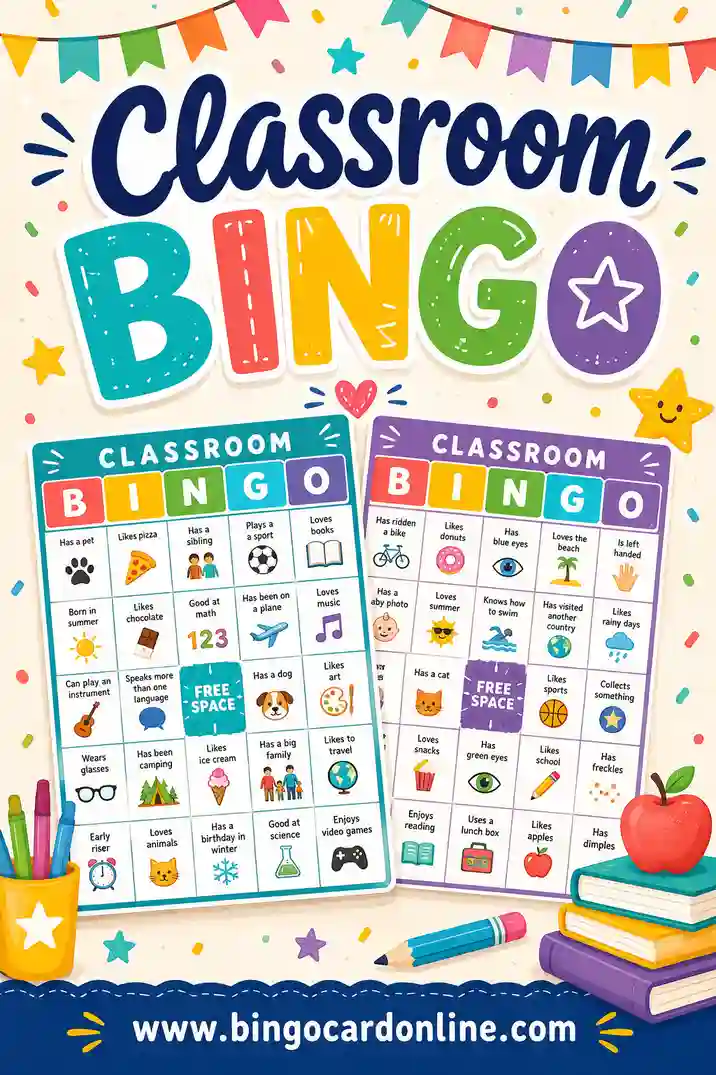
If you know a sub will be with your class for several days, a "find someone who" style card lets students talk with each other while the sub learns names. Kids walk around and get classmates to sign squares like "has a pet" or "likes pizza." It's louder than regular bingo, so save it for a sub who's comfortable with movement. See find someone who bingo for ready ideas.
The Instruction Page to Leave
Substitutes appreciate short, clear steps. Copy this wording, change the details, and print it as the top sheet in the folder.
Bingo Activity (10 to 30 minutes)
- Pass out one bingo card to each student. Extra cards are in the folder.
- Students mark squares with a pencil (or chips from the bag).
- Read one word at a time from the call sheet. Check it off as you go.
- First pattern: any straight line. When a student says "Bingo," have them read their marked words aloud. Check them against your sheet.
- If two students win on the same word, both win.
- Next rounds: four corners, then blackout. Use the patterns sheet to show the class.
- Collect cards at the end and leave them in the folder.
Add one line about prizes if you're leaving any, and one line about behavior: "Students who are talking over the caller sit out one round."
Running the Game: A Sample Sub Schedule
Here's how a 30-minute block might look. The sub can trim or stretch any part.
| Minutes | Activity |
|---|---|
| 0 to 3 | Pass out cards and markers, read the rules |
| 3 to 9 | Round 1: any line |
| 9 to 15 | Round 2: four corners |
| 15 to 18 | Round 3: X pattern |
| 18 to 27 | Round 4: blackout |
| 27 to 30 | Collect cards, tidy desks |
If the sub's computer works, clicking Play caller on the generator puts each word on the screen as it's drawn. That's helpful, but it's optional. The paper call sheet is the backup that always works.
For tips a sub can glance at before starting, the guide on how to call a bingo game covers pacing and checking cards.
Tips So the Game Runs Without You
Use more words than squares
With only 16 words on a 4×4 card, every card has the same words and lots of kids finish at once. A list of 24 to 30 words spreads wins out. On a 5×5 card, aim for 30 to 40.
| Grid | Squares | Minimum words | Recommended |
|---|---|---|---|
| 3×3 | 9 | 9 | 15 to 20 |
| 4×4 | 16 | 16 | 24 to 30 |
| 5×5 | 24 + free | 24 | 30 to 40 |
Keep the rules boring
Don't leave complicated house rules. "Both winners win" is the simplest tie rule. Anything more creates arguments the sub can't settle.
Plan for the shared link
Click Copy shareable link and paste it at the bottom of your instruction page. If the cards somehow vanish, students with devices can open the link and play on screen.
Refresh the folder each quarter
Swap in a new review list when your units change. The routines list can stay all year. Since every set is quick to make, there's no reason to leave an old unit in the folder.
Give the sub a plan for a loud room
Some classes test a new adult. Leave one simple fix: if the room gets noisy, the sub stops calling and waits. Kids want the next word, so the silence usually works faster than any warning. If it doesn't, the sub can switch to a quieter round where only whispers count as "Bingo."
Have something for early finishers
A blackout round can drag for kids who are far behind. Tell the sub it's fine to end a round after a few winners and move on. You can also leave a back-of-card task, such as "Write a sentence using three words you marked." It keeps fast finishers busy and gives you a little writing sample when you get back.
Add a sticky note for the student helper
Pick one reliable student and note their name: "Ava can help pass out cards." That small detail makes a sub feel welcome.
Frequently Asked Questions
What grade levels does sub plans bingo work for?
It works from kindergarten through middle school. Younger students do best with 3×3 or 4×4 cards and simple words. Older students can handle 5×5 cards with vocabulary or math answers.
Does the substitute need a computer to run it?
No. The printed cards and the master call sheet are all a sub needs. The Play caller screen and the shareable link are nice extras if the tech works.
How do I stop students from all winning at once?
Use a longer word list than the number of squares and print unique cards so no two match. Starting with a single line and moving to blackout also spreads out wins over the rounds.
Can I use the same bingo set more than once?
Yes. Collect the cards in the folder at the end and reuse them. If students marked with pencil, have them erase before the next use, or print a fresh set from your saved PDF.
What should students use to mark their cards?
Pencils are the simplest choice, and no cleanup is needed. If you prefer reusable chips, print a sheet of markers from the generator, cut them out once, and keep them in a bag inside the folder.
Build Your Emergency Folder Today
Sick days don't send a warning. Take five minutes this week, open the free bingo card generator, print a class set with a call sheet, and drop it in your sub folder. Whoever walks into your room next will thank you.