Bingo for Corporate Events: Free Printable Icebreaker
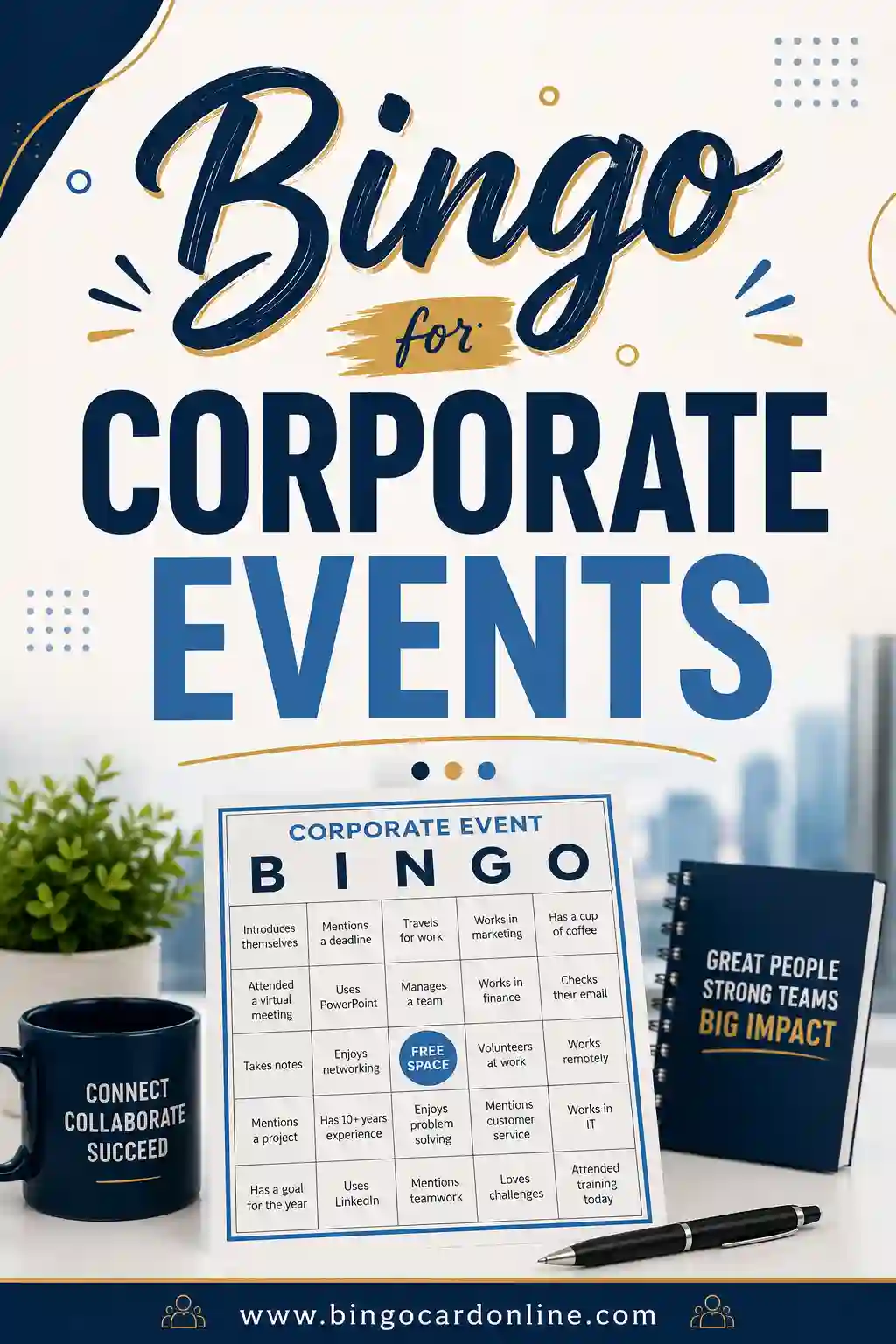
Bingo for corporate events is a low-pressure networking game where each square holds a fun fact or a meeting moment, like "has worked here 5+ years," "speaks two languages," or "someone says 'circle back.'" Attendees mingle to find matching coworkers, or mark squares as things happen, and the first to fill a line wins. The quickest way to set it up is a free bingo card generator that turns your prompt list into unique cards so every table plays a slightly different game.
Planning a mixer, retreat, or all-hands? Open the free generator, paste in a prompt list (there's a ready-made one below), and print a card per attendee. No sign-up, no cost, and you control every square.
Why Bingo Beats the Usual Icebreaker
Most corporate icebreakers make people cringe. Going around the room with "a fun fact about yourself" puts everyone on the spot, and trust falls are nobody's idea of a good time. Bingo skips the awkwardness.
It gives people a clear, easy task: find someone who matches a square and have a quick chat. That structure does the social heavy lifting, so even shy attendees can join without performing. By the time the game wraps, people have met a dozen coworkers they'd never have approached otherwise.
It also works because it's optional-feeling. Nobody's forced into the spotlight. They just wander, ask a friendly question, and jot down a name. The networking happens almost by accident, which is exactly the point.
Where Corporate Bingo Fits
This game flexes to nearly every kind of work event. A few of the most popular fits:
- New-hire orientation. Helps fresh employees meet the team and learn names fast.
- Conferences and mixers. Gives attendees a reason to talk to people outside their own department.
- Team retreats and offsites. Breaks the ice before the deeper team-building begins.
- Holiday parties. A light, low-stakes way to get people mingling before dinner.
- All-hands meetings. A "buzzword bingo" card keeps the room engaged through long presentations.
The format barely changes between these. You just swap the squares to match the crowd and the goal.
Free Corporate Bingo Prompt List (Copy & Paste)
Here's a ready-to-use list of 30 networking prompts. Pick any 24 for a 5x5 card (the center is a free space) or 9 for a quick 3x3. Copy a column straight into the generator.
| Find a coworker who... | Find a coworker who... | Find a coworker who... |
|---|---|---|
| Works remotely | Has met the CEO | Speaks two languages |
| Joined this year | Has been here 5+ years | Plays an instrument |
| Drinks too much coffee | Has a side hustle | Has a pet at the desk |
| Loves spreadsheets | Has lived abroad | Runs marathons |
| Is in a different department | Has the same role as you | Codes for fun |
| Brought snacks to share | Mentors new hires | Sits near a window |
| Takes the stairs | Has presented to clients | Loves public speaking |
| Is an early bird | Is a night owl | Has a hidden talent |
| Has a long commute | Knows the office Wi-Fi password | Volunteers outside work |
| Loves the company swag | Started in a different role | Has a great lunch spot |
Add a few company-specific squares for extra fun: "has survived a Monday standup," "knows where the good snacks are hidden," or "has used every meeting room."
Theme variations to try
- Buzzword bingo. Squares are corporate phrases ("synergy," "let's take this offline," "circle back"). Mark them as people say them in a meeting. A quiet crowd-pleaser.
- Onboarding bingo. Squares are first-week tasks: "set up your laptop," "meet your manager," "find the kitchen." Helps new hires settle in.
- Conference bingo. Squares are session moments: "visit a booth," "ask a question," "collect a business card."
- Virtual bingo. Squares for remote calls: "someone's on mute," "a pet appears," "screen-share fails." Great for distributed teams.
Corporate Buzzword Bingo (Meeting Jargon Card)
Corporate speak bingo, better known as buzzword bingo, is the meeting version of the game. Instead of finding coworkers, players listen for office jargon and mark each phrase when someone says it. Here's a ready-to-print 5x5 card with 24 phrases and a free center square. For even more phrases, see our full buzzword bingo guide.
| B | I | N | G | O |
|---|---|---|---|---|
| Low-hanging fruit | Move the needle | Bandwidth | Deep dive | Touch base |
| Paradigm shift | Leverage | Win-win | Game changer | Think outside the box |
| Boil the ocean | Drill down | FREE | Action items | Pivot |
| Alignment | Ping me | Value add | Best practice | Moving forward |
| Hard stop | Level set | Deliverables | North star | Ducks in a row |
Want every card to be different? Paste the 24 phrases above plus these 18 swap-ins into the generator and it will shuffle them into unique cards:
| Swap-in phrase | Swap-in phrase | Swap-in phrase |
|---|---|---|
| Put a pin in it | Quick win | Stakeholder |
| Scalable | Holistic | Mission-critical |
| Granular | Net-net | At the end of the day |
| Parking lot | Bottom line | Ballpark figure |
| Wheelhouse | Headwinds | Double-click on that |
| Bake it in | Streamline | Robust |
Buzzword bingo rules for virtual meetings
- Share cards before the call. Send each person a printable or image card so nobody is scrambling once the meeting starts.
- Mark quietly. Players tick off phrases on their own card. The meeting carries on as normal.
- Claim a win in chat. The first person with a full line types "Bingo" in the chat instead of interrupting the speaker.
- Verify at the end. The host checks the winning card after the meeting wraps up.
- Keep it internal and kind. Play during team meetings and all-hands, never on client calls, and keep it about the words, not about any one speaker.
Running a fully online event? Our guide to bingo for virtual Zoom parties covers screen sharing and digital cards in more detail.
New Team Member and Onboarding Bingo
Onboarding bingo turns a new hire's first week into a checklist they actually enjoy. Each square is a small task or a person to meet, and a finished line earns a small welcome prize. Print the card below, or paste the list into the generator to give every new hire in a cohort a unique layout.
| First-week task | First-week task | First-week task |
|---|---|---|
| Pick up your ID badge | Log in to email for the first time | Join the team chat channels |
| Have coffee with a teammate | Read the employee handbook | Finish your HR paperwork |
| Shadow a coworker for an hour | Attend your first team meeting | Learn three company acronyms |
| Meet someone from another department | Eat lunch with the team | Book a 1:1 with your onboarding buddy |
| Find the nearest printer | Learn where supplies are kept | Personalize your desk |
| Complete a training module | Ask a question in a team channel | Learn the main tools your team uses |
| Add a photo to your profile | Learn a coworker's hobby | Find the emergency exits |
| Bookmark the company intranet | Sign up for a company event | Introduce yourself in chat |
Get-to-know-the-new-hire prompts for the team
Flip it around so the existing team welcomes the newcomer. Give the new hire a human bingo card with prompts like these, and teammates get a reason to say hello:
- Has been on the team the longest
- Can explain the org chart in one minute
- Started within the last six months
- Knows a handy keyboard shortcut
- Has a favorite internal tool
- Has worked in another department
- Still remembers their own first day
- Keeps a plant on their desk
- Knows a bit of company history
- Runs a weekly team ritual
- Is the go-to person for tech questions
- Has a tip for surviving the first month
More ideas for this style of game are in our human bingo icebreaker, find someone who bingo, and get to know you bingo guides.
Ready-Made Themed Office Bingo Cards
One prompt list won't fit every event, so here are eight more themed lists. Each has 24 squares, enough for a full 5x5 card. Copy a list into the free bingo card generator, use the card title field for your event name, and print as many unique cards as you need.
Meeting moments bingo
Mark a square when it happens during a meeting. Great for long all-hands or quarterly reviews.
| Mark it when... | Mark it when... | Mark it when... |
|---|---|---|
| Meeting starts late | "Can everyone see my screen?" | Agenda gets skipped |
| "This could have been an email" | Someone says "quick question" | Two people talk at once |
| Someone apologizes for being late | A slide packed with tiny text | "Let's table that" |
| Whiteboard marker is dry | Laptop battery warning | Meeting runs over time |
| "Who owns this?" | Action items get assigned | Someone takes notes by hand |
| A phone buzzes on the table | "To piggyback on that..." | Someone glances at the clock |
| A brand-new acronym appears | Someone draws a diagram | "Any questions?" meets silence |
| Calendar invite gets moved | Someone joins from the hallway | Meeting ends early |
Email and chat bingo
A week-long game that runs in the background. Players mark squares as these land in their inbox or team chat.
| Mark it when... | Mark it when... | Mark it when... |
|---|---|---|
| "Per my last email" | Reply-all storm | Email with no subject line |
| Forgotten attachment | "Just following up" | "Hope this finds you well" |
| Out-of-office auto-reply | A thumbs-up reaction | A message that just says "hey" |
| Typing indicator that stops | A GIF reply | Thread with 20+ replies |
| Email sent after midnight | "Looping in" someone new | Calendar invite with no agenda |
| Unread count over 100 | "Thanks in advance" | Message edited after sending |
| Emoji-only reply | "Sorry for the delay" | Reply posted in the wrong thread |
| Signature longer than the email | "Bumping this up" | Urgent flag on a non-urgent email |
Remote work bingo
For distributed teams on video calls. These go beyond the basic call squares above, so the card lasts across several meetings.
| Spot it on a call | Spot it on a call | Spot it on a call |
|---|---|---|
| Doorbell rings mid-call | Virtual background glitch | Camera off all meeting |
| Coffee mug cameo | Working from the couch | Delivery at the door |
| Hoodie on camera | Lawn mower in the background | Echo on the line |
| Someone joins from a coffee shop | Houseplant in the background | Laptop fan roaring |
| Bookshelf backdrop | "Can you hear me now?" | Wi-Fi drops out |
| Camera pointed at the ceiling | Time zone mix-up | Shared video with no sound |
| Roommate walks past | Standing desk spotted | Headset with a big mic |
| Status says "away" all day | Everyone waves goodbye at the end | Someone joins from a different country |
Wellness bingo
A gentle challenge to run over a week or a month. Players mark a square each time they complete a healthy habit. Keep it opt-in and private, and reward effort, not results. For more feel-good squares, see kindness bingo.
| Complete it | Complete it | Complete it |
|---|---|---|
| Drink eight glasses of water | Take a 10-minute walk | Stretch at your desk |
| Eat a piece of fruit | Step outside for fresh air | Try a five-minute breathing exercise |
| Take a full lunch break away from your desk | Go to bed 30 minutes earlier | Write down three things you're grateful for |
| Spend an hour screen-free | Thank a coworker | Try a new healthy recipe |
| Walk during a phone call | Do 10 squats | Log off on time |
| Read for 20 minutes | Bring lunch from home | Tidy your workspace |
| Listen to a favorite song | Call a friend or family member | Take a short break every hour |
| Hold a walking meeting | Swap a soda for water | Do a random act of kindness |
Holiday office party bingo
A spot-it card for the end-of-year party. For a full party plan, see bingo for office holiday parties.
| Spot it at the party | Spot it at the party | Spot it at the party |
|---|---|---|
| Ugly sweater spotted | Homemade cookies on the table | Gift exchange swap |
| Secret Santa reveal | Holiday music playing | Someone wears a festive hat |
| Group photo | Toast from a manager | Desk decorations |
| Someone grabs a second dessert | Paper snowflake | Candy cane |
| Hot cocoa | Someone shares travel plans | Reindeer antlers |
| White elephant gift gets stolen | Someone hums a carol | Tinsel sighting |
| Gift wrapped in newspaper | Raffle prize drawn | Jingle bells |
| Gingerbread | Out-of-office set for the holidays | "See you next year!" |
Coffee break and office life bingo
Everyday office moments that everyone recognizes. Run it for a week and see who fills a line first.
| Spot it at the office | Spot it at the office | Spot it at the office |
|---|---|---|
| Fresh pot of coffee | Empty coffee pot left behind | Strong smell from the microwave |
| Birthday cake in the break room | Printer jam | Fridge cleanup notice |
| Someone brings donuts | Mystery mug in the sink | Thermostat debate |
| Someone humming at their desk | Desk plant gets watered | Standing desk goes up |
| Fire drill | "Is this anyone's lunch?" | Sticky-note reminder |
| Snack drawer restocked | Elevator small talk | Noise-canceling headphones on |
| Forgotten badge at the door | Meeting room double-booked | Supply closet reorganized |
| New hire tour walks by | Vending machine keeps a coin | Someone says "Happy Friday!" |
Project milestone bingo
Turn a long project into a shared game. Post one big card on the wall or in a team channel and mark squares together as the work moves forward.
| Milestone | Milestone | Milestone |
|---|---|---|
| Kickoff meeting held | Project goals written down | First deadline hit |
| Scope change requested | Status report sent | Risk logged |
| Stakeholder demo | Budget approved | Bug found in testing |
| Bug fixed | Design approved | Timeline adjusted |
| Retrospective held | User feedback received | Documentation written |
| Launch date set | Handoff completed | Go-live |
| Celebration lunch | Lessons learned shared | Dependencies mapped |
| Sprint completed | Review comments addressed | Final sign-off |
Industry-specific bingo
Squares that only make sense to your field get the biggest laughs. Use eight of these, then fill the rest of the card from the office life or meeting lists.
| Team | Sample squares (mix with general office squares to fill a card) |
|---|---|
| Sales | Deal closed; Follow-up call booked; CRM updated; Demo delivered; "Send me more info"; Pipeline review; Quota check-in; Cold call connects |
| Engineering and IT | "It works on my machine"; Code review comment; Merge conflict; Ticket closed; "Have you tried restarting it?"; Clean deploy; New library suggested; Standup runs past 15 minutes |
| Customer support | Solved on the first reply; Five-star rating; Saved reply used; Customer says thank you; Escalation; Help article updated; Queue hits zero; Password reset request |
| Healthcare teams | Smooth shift handoff; Sanitizer station refilled; Charting caught up; Patient thank-you note; Supply room restocked; New scrubs day; Training module finished; Break taken on time |
| Schools and education staff | Copier jam; Snacks at the staff meeting; Lesson plans done; Parent email answered; Recess duty; Bulletin board updated; Grading caught up; Hallway high-five |
| Retail | Shelf restocked; Weekend rush; Shopper finds what they wanted; Register balances; New display set up; Price check; Compliment from a shopper; Inventory count |
For more workplace game ideas, see work bingo, bingo for team building, and conversation bingo. Saying goodbye to a longtime colleague? Try retirement party bingo.
How to Run It in Three Steps
Setup is fast, even if you've never planned an icebreaker before.
- Build your prompt list. Aim for 24 or more so every 5x5 card fills. Mix easy matches with a few that take real conversation.
- Generate and print. Open the generator, paste your list, choose your grid, and print one unique card per attendee.
- Explain the rules and prize. Tell people the win condition (a single line is fast and friendly) and what they're playing for. Then let them loose.
That's it. For a 50-person event, you can have a printed stack ready in about fifteen minutes.
Running Bingo for Remote and Hybrid Teams
Distributed teams can play too, with a small tweak. For a video call, send each person a digital card or a printable they fill on screen, then run a shared call where moments unfold live.
A few ways to make virtual bingo land:
- Use call-based squares. "Someone's frozen," "a kid interrupts," "audio cuts out." People mark them as they happen.
- Drop it in chat. Post the card image or link at the start of a long meeting to keep energy up.
- Pick a quick win condition. A single line keeps a virtual round short and lively.
- Share the prize digitally. A gift card or an extra-long lunch break works great as a remote reward.
It's a small lift that makes a long call feel like a game instead of a grind.
Printing and Branding Tips
A few choices make corporate cards look polished and on-brand.
- Add your logo and event name. A header ties the card to the event and looks professional.
- Match your brand colors. Use the company palette so the cards feel official, not improvised.
- Print on cardstock for in-person events. It holds up to a full evening of being carried around.
- Pair each card with a pen. People need to jot down names, so set out pens or pencils nearby.
- Run a test print. Check margins and color before printing a full stack so nothing's cut off.
Keep prizes simple
Prizes don't need a budget line. Try an extra hour of PTO, first pick of the catering, a premium parking spot for a week, or a small gift card. The fun is in the playing, not the payoff.
Bingo Setups by Event Type
Match the format to your event with this quick guide.
| Event | Format | Grid | Why it works |
|---|---|---|---|
| New-hire orientation | Human bingo | 5x5 | Helps newcomers meet the team |
| Conference / mixer | Human bingo | 5x5 | Sparks cross-department chats |
| Team offsite | Human bingo | 4x4 | Quick icebreaker before deeper activities |
| All-hands meeting | Buzzword bingo | 5x5 | Keeps people engaged through talks |
| Holiday party | Human bingo | 4x4 | Light mingling before dinner |
| Virtual call | Spot-it bingo | 4x4 | Adds fun to a long remote meeting |
Choose the row that matches your event and you're most of the way to a finished game.
Planning other gatherings? See our bingo for wedding receptions for celebrations, bingo for sports watch parties for team outings, and bingo for libraries for community programs.
Tailoring Squares to Your Company Culture
The generic prompts work, but the cards that get people laughing are the ones that sound like your office. Spend five minutes mining your own quirks and the game goes from "fine" to the thing people talk about at lunch.
Think about the small shared rituals only your team knows. The standup that always runs long. The one meeting room everyone fights over. The Slack channel that's nothing but dog photos. Turn those into squares: "has been stuck in the Tuesday standup," "has booked the good conference room," "posts in the pet channel." Insiders grin, and newer hires get a friendly nudge to ask what the joke is.
Be a little careful, though. Keep every square something people are happy to admit. "Drinks too much coffee" is fun; anything that singles out a person's performance or pokes at someone specific is not. The goal is shared laughter, not a roast. When in doubt, aim the joke at the company's habits, never at an individual.
For bigger organizations, you can even make department-flavored cards. The engineering team gets "has pushed to production on a Friday," sales gets "has closed a deal this quarter," and so on. Same game, but each group feels seen.
Measuring Whether the Icebreaker Worked
Most teams run an icebreaker and just hope it landed. With bingo, you can actually tell, and a couple of small signals help you tune it for next time.
The simplest measure is conversations started. If you watch the room and see people crossing it to talk to someone new, the game is doing its job. If everyone's just signing the coworkers already at their table, your prompts are too easy or too narrow. Next time, add squares that force a lap around the room.
A quick gut-check afterward helps too. As people wrap up, ask a couple of them, "Meet anyone new?" If the answer is yes more often than not, you've got a keeper. You can also keep an eye on how many cards reach a full line. If almost nobody finishes, the prompts are too hard or there wasn't enough time; if everyone finishes in three minutes, they were too easy. Aim for a sweet spot where a handful of people win and the rest got close.
None of this needs a spreadsheet. The point is just to notice what happened, so the next event's card is a little sharper than the last.
Common Mistakes to Avoid
A few small missteps can flatten an otherwise great game. Here's what trips people up.
- Too few prompts. If you only load 24 squares for a 5x5, every card looks nearly identical and the game feels rigged. Aim for 30 or more so the generator can spread things out and wins land at different moments.
- Prompts that are too obscure. A square only one person in the building matches becomes a dead end. Mix a few specific gems with plenty of broad, findable ones so cards actually fill.
- No clear win condition. If people don't know whether they're going for a single line or a blackout, the game stalls. Say it out loud and put it on the card.
- Forgetting pens. Sounds trivial, but a stack of cards and nothing to write with kills the momentum instantly. Set out more pens than you think you need.
- Letting it run too long. Icebreaker bingo should be a quick burst of energy, not a 40-minute slog. Cap it, crown a winner or two, and move on while people are still having fun.
Frequently Asked Questions
What is corporate event bingo?
Corporate event bingo is an icebreaker where squares hold fun facts ("speaks two languages") or meeting moments ("someone says 'circle back'") instead of numbers. Attendees mingle to find matching coworkers, or mark squares as things happen, and the first to complete a line wins. It's an easy, low-pressure way to get people networking.
How many bingo cards do I need for a corporate event?
Print one card per attendee, plus a few spares for walk-ins. For a 50-person mixer, run about 55. The generator makes every card unique automatically, so no two people have the same layout, which keeps the game fair.
What should I put on corporate bingo squares?
Use networking prompts ("works remotely," "has been here 5+ years," "speaks two languages") and a few company-specific touches ("has met the CEO," "knows the good snacks"). For meeting-based play, use buzzwords or call moments. Mix easy matches with a couple that take real conversation.
Is corporate bingo free to make and print?
Yes. You build and print the cards yourself at no cost, with no sign-up and no watermark. You can run the game for an entire department or conference on a single free prompt list and reprint as many cards as you need.
Can we play bingo with a remote or hybrid team?
Absolutely. Send each person a digital or printable card, then run a shared video call where moments unfold live. Use call-based squares like "someone's on mute" or "a pet appears," pick a quick single-line win condition, and offer a digital prize like a gift card.
How do I make the cards look professional?
Add your company logo and the event name to the header, use your brand colors, and print on cardstock for in-person events. Pair each card with a pen so people can jot down names. A quick test print confirms the margins and color before you run the full stack.
How long should a corporate bingo game last?
Keep it short, 10 to 20 minutes is plenty. Icebreaker bingo is meant to be a quick burst that gets people talking, not the main event. Set a clear win condition, let a couple of people get a line, hand out a small prize, and move on while the energy is still high.
What if some attendees don't want to participate?
That's the quiet strength of bingo, it never forces anyone into the spotlight. People who'd rather watch can still mark a spot-it card from their seat, and those who want to mingle can work the room. Frame it as optional and low-stakes, and you'll find even reluctant folks drift in once they see others laughing.
What is buzzword bingo?
Buzzword bingo is a version of bingo where the squares are office jargon like "low-hanging fruit," "move the needle," and "deep dive." Players mark a phrase whenever someone says it during a meeting, and the first to complete a line wins. It keeps long meetings lighthearted. Just keep it to internal meetings and keep it friendly.
Is there a bingo game for onboarding new team members?
Yes. Onboarding bingo gives a new hire a card of first-week tasks, such as joining team channels, meeting someone from another department, and booking a 1:1 with a buddy. You can also hand the new hire a human bingo card so teammates have a reason to introduce themselves. Both lists are ready to copy in the onboarding section above.
Can I add our company logo to the bingo cards?
The generator lets you add a card title, like your event or company name, and pick a color scheme. To include the logo itself, print the cards on branded letterhead or cardstock, add a logo sticker, or download the card as an image and place it in a document alongside your logo before printing.
What materials do I need to host office bingo?
Not much: one printed card per player plus a few spares, pens or markers, a prompt list, and a small prize or two. For buzzword or meeting bingo you also need a meeting to play in. For virtual teams, digital cards and a chat channel for calling "Bingo" are enough.
How often should we play bingo at work?
Treat it as an occasional treat rather than a weekly routine so it stays fun. Many teams use it at onboarding, at a quarterly all-hands, and at the holiday party. Longer games, like wellness or project milestone bingo, can run quietly in the background for a week or a month.
Can office bingo be educational?
Yes. Fill the squares with things you want people to learn, such as product names, team acronyms, company values, or steps in a new process. Players match or mark them as they come up during a training session, which makes the material stick better than slides alone.
Ready to Print Your Corporate Bingo Cards?
Grab the prompt list above, open the free bingo card generator, and you'll have a stack of unique, printable cards ready in minutes. Brand them, hand them out, and watch your team mingle without a single cringe-worthy icebreaker. It's free, there's no sign-up, and every card comes out different, so your event is set to play.